A new way to
organize your files
Stop getting lost in folders.
Build your own workflow with tags and spaces.
Refund guaranteed by Steam policy.













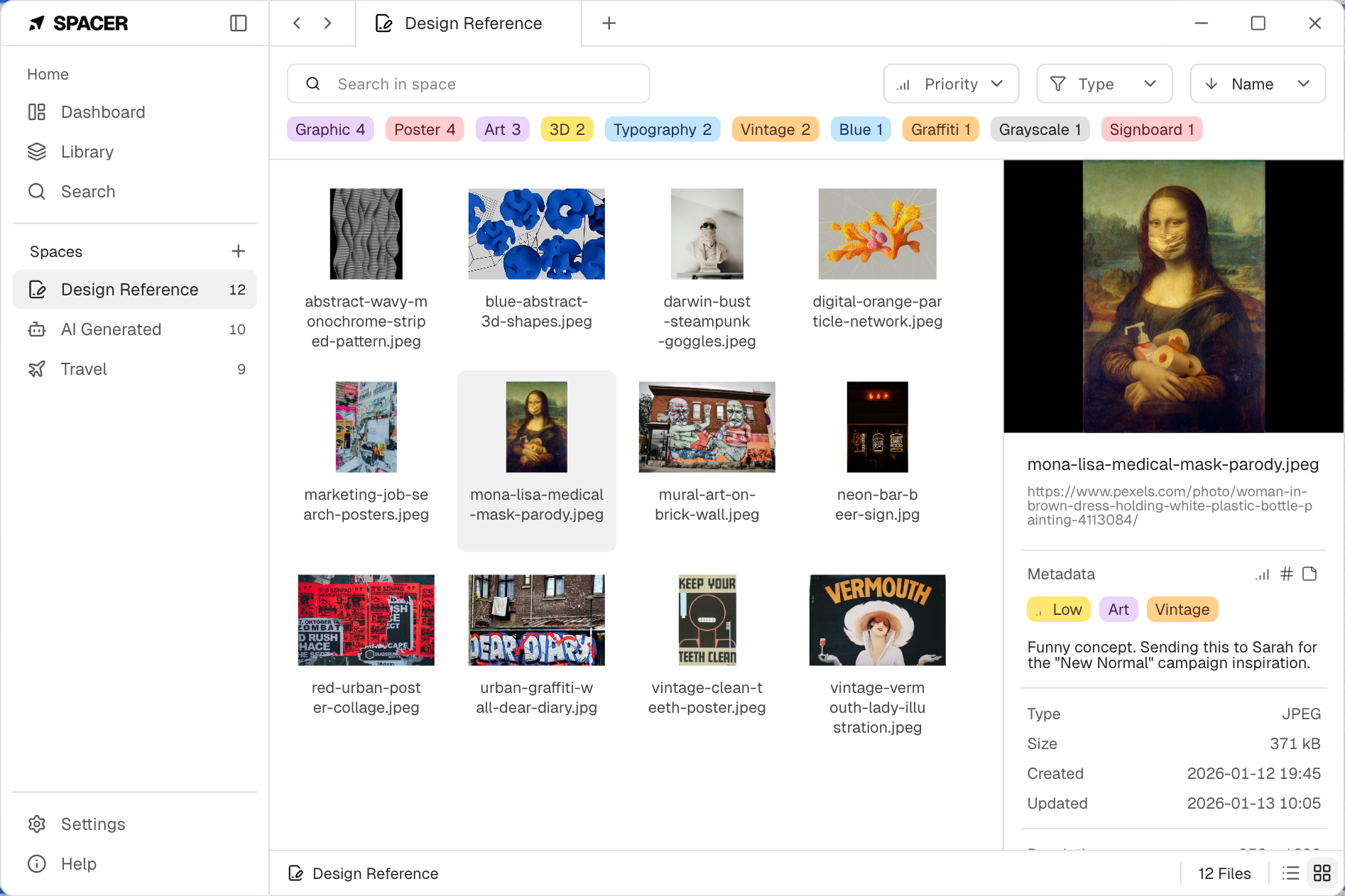
Manage files with tags
Tag your files. Break free from folder structures and organize everything your way.
Simplify complex management
Powerful features to help you organize your files more systematically.
New Idea
63
Design Reference
124
AI Generated
48
Organize with spaces
Group files by creating spaces based on projects, topics, or work types.
Report
Anything
ai-guideline.pdf
2026-Project-Report.pptx
Meeting-Notes.docx
How-to-use-Spacer.txt
ai-guideline.pdf
See everything at a glance
View all sub-files at once with one click, regardless of folder depth.
Type
JPEG
Size
420 KB
Created
03/04/2026, 09:24 AM
Updated
03/04/2026, 09:24 AM
Resolution
1024 x 1280
Color Space
sRGB
Bit Depth
Unsigned Char (8-bit)
Channels
3
Alpha Channel
X
Index Mode
X
Density
72
Unit
DPI
Auto Rotation
1024 x 1280
Progressive
O
Chroma Subsampling
4:2:0
Context Pane for Pros
Boost efficiency with a context pane that lets you view all file attributes easily.
Urgent
High
Medium
Low
Idea
12
Research
8
User Interface
9
Development
11
Archive
6
Tags, Priorities, and Memos
Pin important files to the top and leave memos for context. Turn data into information.
2026
2026-Project-Report.pptx
Minutes 2025-01-26.docx
Flexible Search
Find what you need instantly with flexible search across memos and tags.
Privacy First
We don't collect any personal information. Not even a single byte.
All data is stored locally on your device.
Simple pricing
No monthly subscriptions. Get unlimited access with a one-time purchase.
Demo
Experience the core features of Spacer.
Free
!
Create 1 space
!
Create up to 20 tags
Unlimited file additions
Unlimited memos, pinning, and priorities
Full Version
Get permanent access to all features without limits.
$12
Buy Now
Unlimited spaces
Unlimited tags
Unlimited file additions
Unlimited memos, pinning, and priorities
Refundable within 14 days and less than 2 hours of use